

Plan your first week
Once one post works, a week is the same building block repeated: files in the library, a group instead of picking accounts one by one, the Calendar’s month view to see the gaps, and either drag-to-reschedule or an MCP agent doing the batching. Every post created this way is still one row in Queue, cancellable or reschedulable on its own.
Before you start
Section titled “Before you start”- The week’s files, or the URLs to import them from.
- For a group: a paid plan - groups start on Creator Creator+. On Free you pick accounts one by one; the rest of the page still applies.
-
Upload everything first. Drop the week’s files in Media in one go. They process in parallel; Compose then only has to pick them, not wait. Folders and tags (
Launch,Clients) keep the library readable - Folders & tags. -
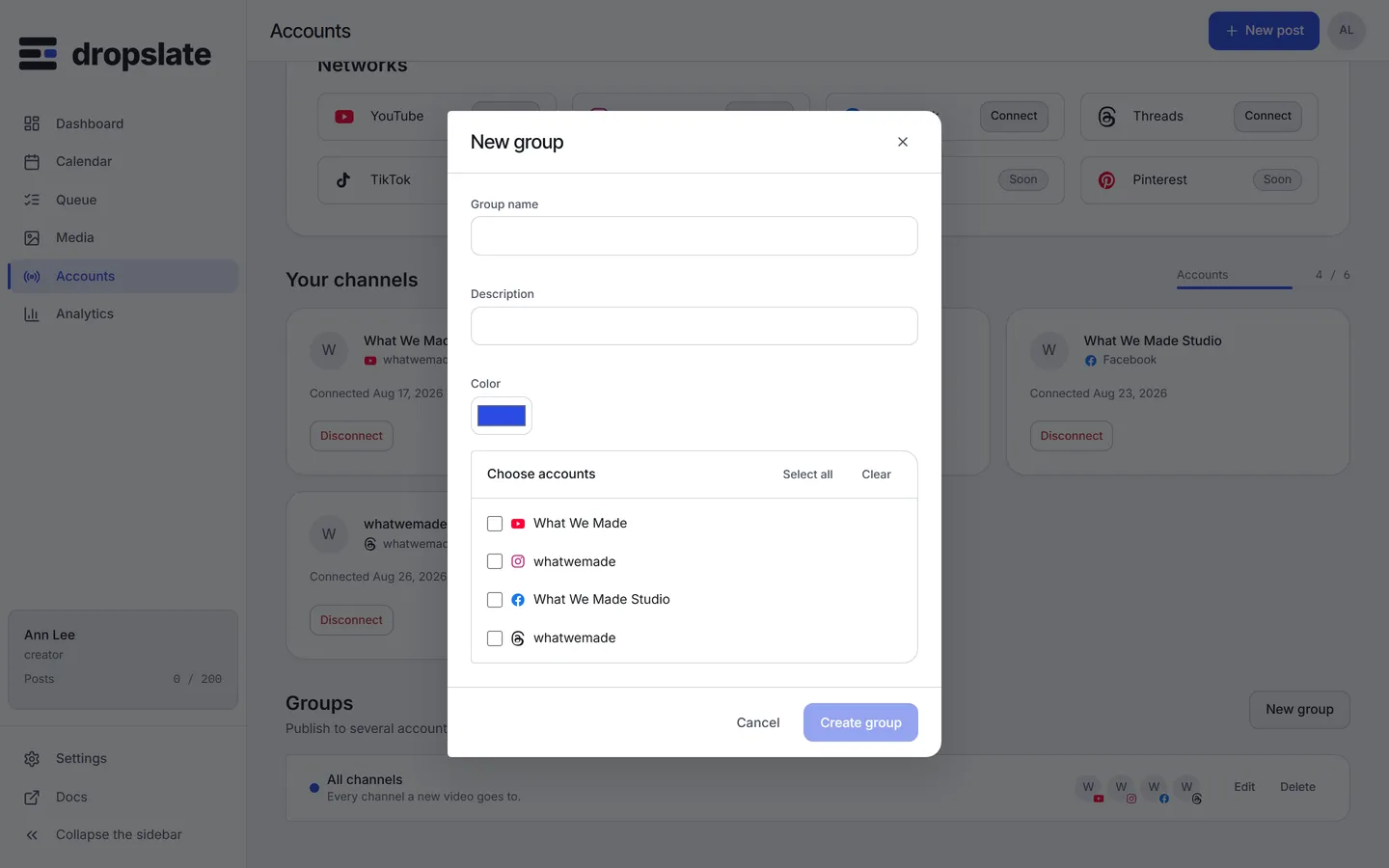
Make a group. On Accounts, under Groups, click New group, name it and pick the accounts that get the same posts - a client’s three channels, or all your short-form outlets. A post that targets the group becomes one post per account, each with the network’s own fields. Groups & cross-posting.
-
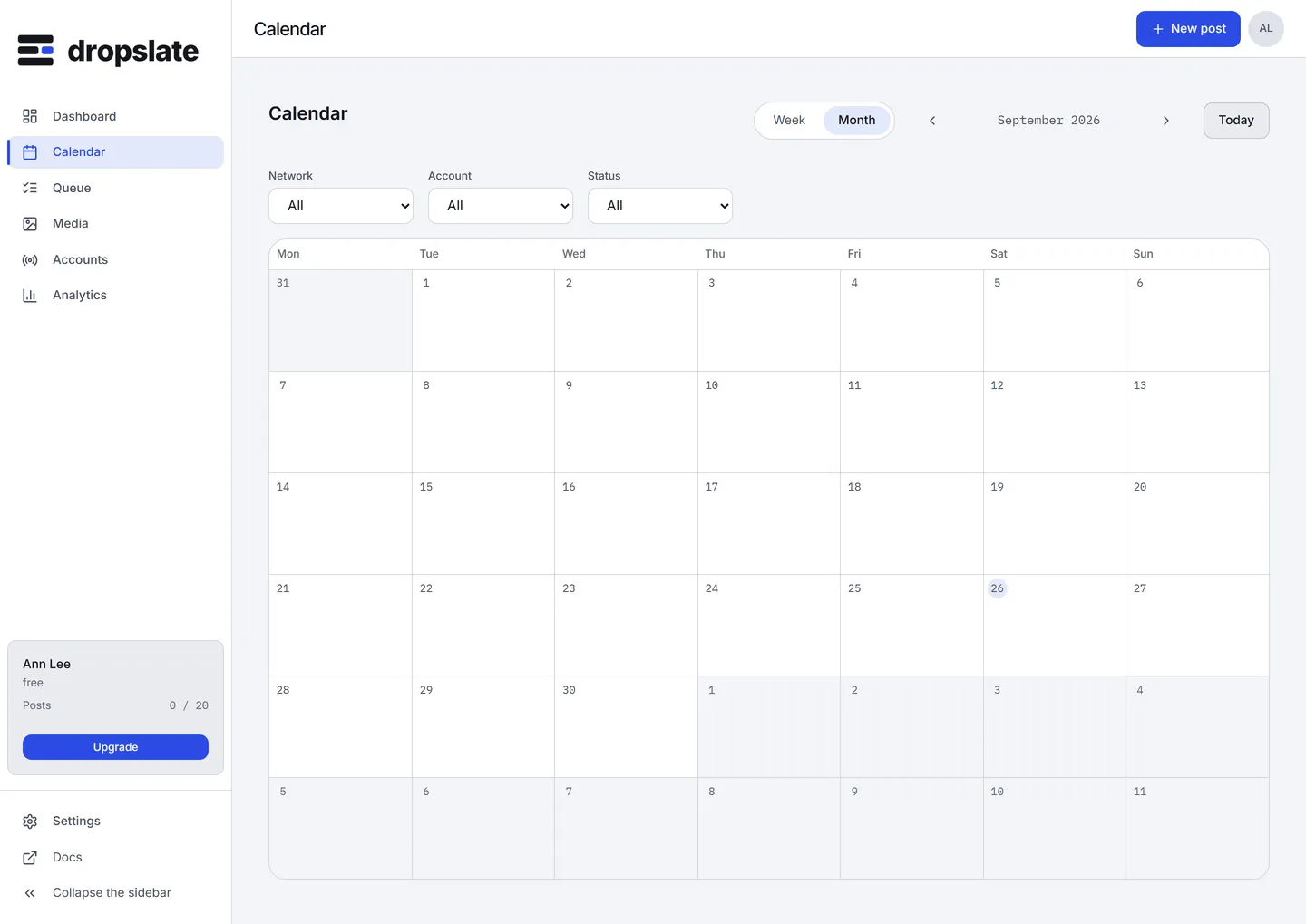
Schedule from the Calendar. Open Calendar in the Month view. Click a day to add a post at that time - a draft that is waiting for a time can be given this slot, or start a new one. Filters above the grid narrow it to a network, an account or a status.
-
Move what does not fit. Drag a
draftor aqueuedpost to another day or hour. Moving a queued post asks for confirmation, then reschedules it in the queue; aliveorfailedpost stays where it was sent. -
Let an agent do the pattern. For “Tuesday and Friday at 18:00 for three weeks, alternating these two videos”, describe it to Claude, ChatGPT or Cursor connected over MCP. The agent calls
dropslate_plan_postonce per slot, shows every table, and callsdropslate_create_postonly after you confirm. MCP use cases.
What you see next
Section titled “What you see next”Queue lists the whole week by status; the Dashboard shows what goes out today and in the next 7 days, and anything that needs attention. Posts that fail land in Needs attention with a Retry button.
Common errors
Section titled “Common errors”| Error | Cause | Fix |
|---|---|---|
| New group shows a paywall | Groups are not on the Free plan. | Upgrade to Creator, or target accounts one by one. |
quota_exceeded on the last posts of the week |
The month’s post limit is reached - the plan counts posts that reach queued. |
Cancel a post you no longer need (its slot comes back), or upgrade. |
A drag does nothing on a live post |
A sent post’s time cannot change. | Duplicate it as a new draft and schedule that. |
| The Calendar shows “Showing N of M in this range” | More posts than the view can draw. | Narrow the filters, or use Queue. |
Related
Section titled “Related”- Calendar and Queue.
- Time zones - every time is read in the workspace’s zone.
- Weekly multi-platform queue - the same week from a script or n8n.