

Queue
Queue is the list view of every post in the workspace, whatever its state. Where the Calendar answers “when”, Queue answers “what is in which state”: four counters on top, filters and search, and the actions a post allows - one at a time or in bulk. It shows the same posts as the Calendar; acting on a post here is the same change.
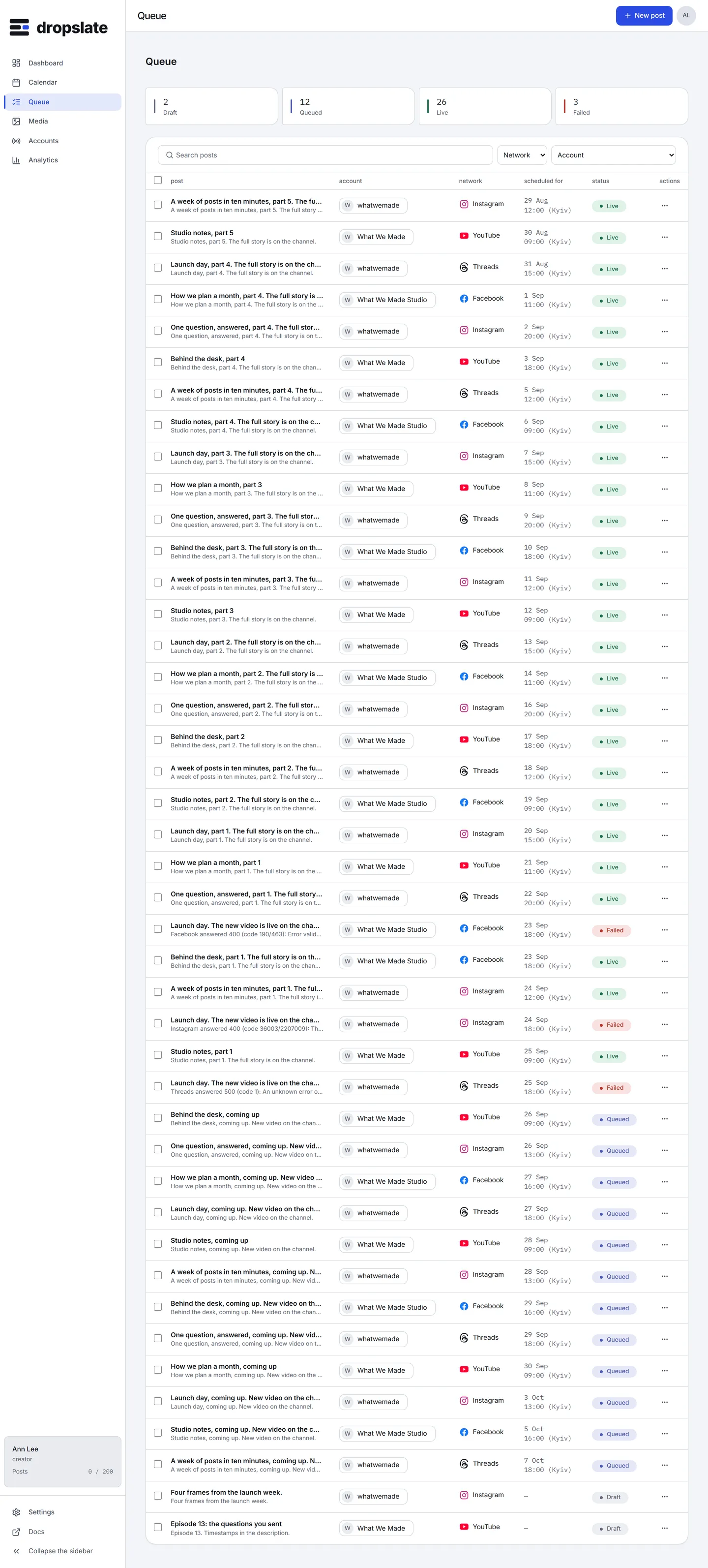
What is on the screen
Section titled “What is on the screen”- Counters (top) - Draft, Queued, Live, Failed; click one to filter by that status.
- Search and filters (under the counters) - free text against the title and caption, then Status, Network, Account.
- The table - one row per post: post, account, network, scheduled for, status, actions. A failed row shows the network’s error in one line and Retry; a live row shows Open live URL; an account whose token expired shows Reconnect in place of the status.
- Selection (checkbox per row) - selecting rows opens the bulk bar: Retry failed (N), Cancel queued (N), Delete drafts (N), Clear. Each bulk action applies only to the rows in the state it names.
- Post drawer (on click) - the same drawer as in the Calendar: timeline, the network’s response, and the single-post actions.
Actions
Section titled “Actions”| Action | Where | What happens |
|---|---|---|
| Retry | A failed row, or the bulk bar |
The post goes back to queued and is sent again - at its original time if that is still ahead, otherwise now. |
| Cancel | A queued row, or the bulk bar |
The post leaves the queue and becomes a draft; nothing is deleted, and its slot returns to the month’s quota. |
| Reschedule | More actions on a queued or draft row |
A new date and time; a draft becomes queued. |
| Duplicate | More actions on any row | A new draft with the same file, text and targets. |
| Delete drafts | The bulk bar | Removes the selected drafts for good. Queued, live and failed posts are never deleted from here. |
| Open live URL | A live row |
The post on the network. |
- A post created by an agent or a script is a row like any other;
createdViain the drawer saysui,apiormcp. - The Failed counter is the quickest daily check; the Dashboard’s Needs attention shows the same posts.
- Deleting a draft is the only destructive action here, and it asks first.