

Groups
What this is
Section titled “What this is”A group is a named set of connected accounts - “All channels,” “Client X” - that Compose, the API and MCP can target as one unit instead of listing account ids every time. Posting to a group expands into one post per account inside it; each one is still an independent post afterward; cancelling or retrying one does not touch the others.
Create and edit
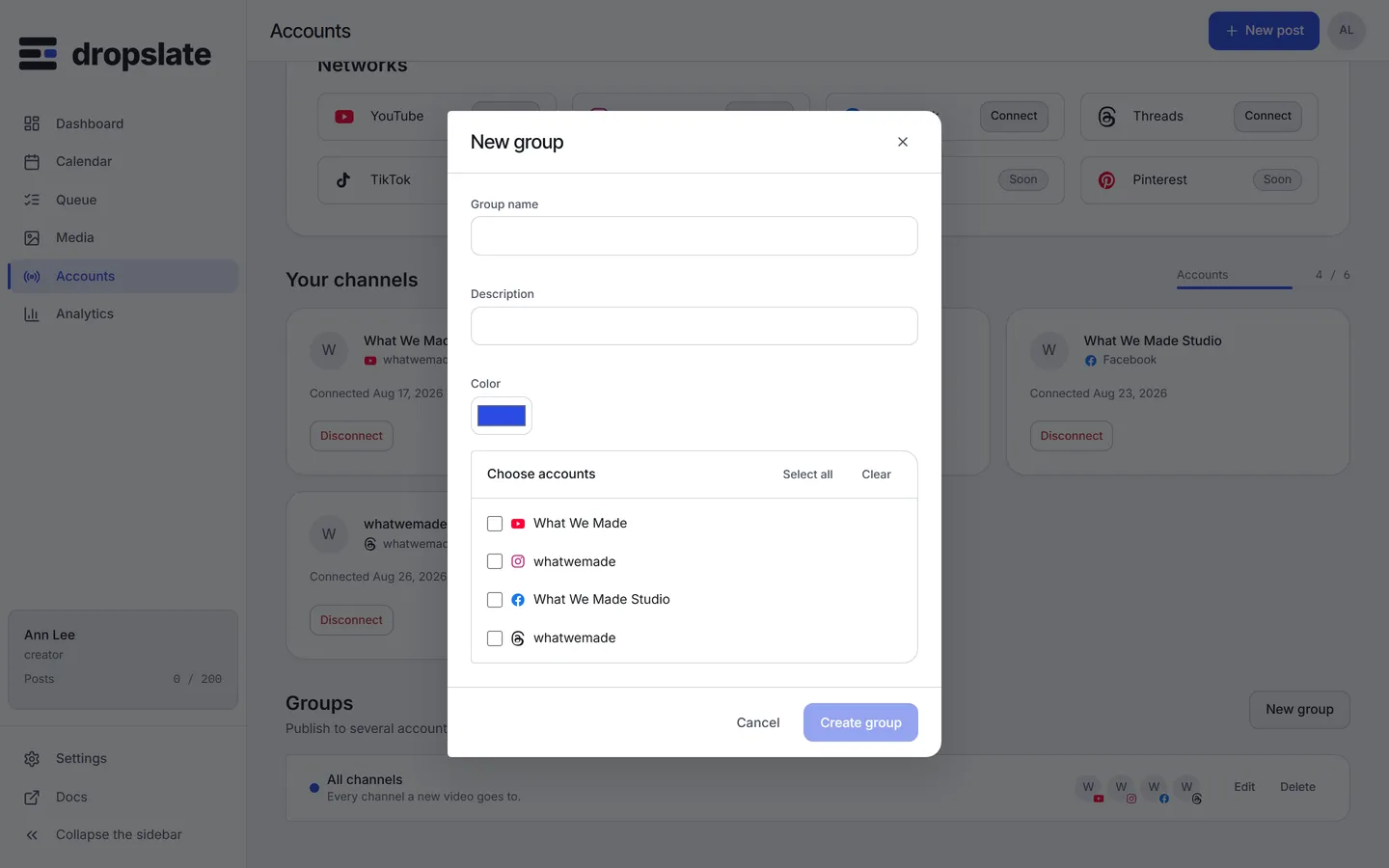
Section titled “Create and edit”Groups → New group, name it and pick accounts from across any connected network. Editing a group’s membership replaces the list - it does not merge with the previous one, so removing an account means submitting the list without it.
Use in a post
Section titled “Use in a post”Pick the group in Compose instead of individual accounts, or pass its id where the API and MCP accept accountIds - dropslate_list_groups lists the ids an agent can use, and dropslate_plan_post expands the group before showing its table, one row per account.
Common errors
Section titled “Common errors”| Error | Cause | Fix |
|---|---|---|
groups not available |
Free plan - groups start at Creator. | Upgrade, or target accounts individually - see Plans & limits. |
| Group has fewer accounts than expected after a post | An account was removed from the group, or disconnected, since the group was created. | Check the group’s current membership in Groups. |