

Connect an AI agent
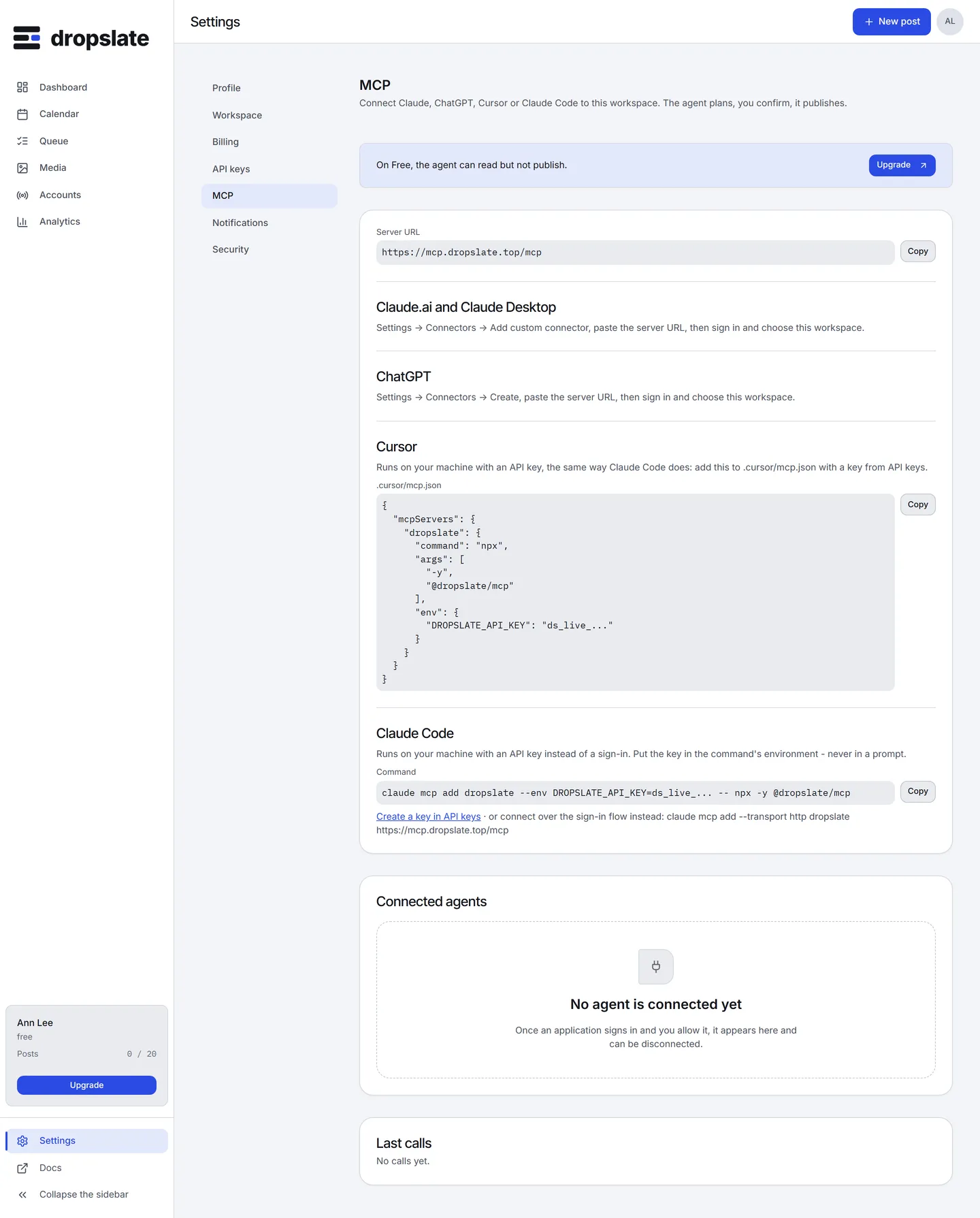
Claude.ai, Claude Desktop and ChatGPT connect to the remote server at https://mcp.dropslate.top/mcp and sign in over OAuth 2.1 - no API key to create or paste. Claude Code and Cursor run the stdio package @dropslate/mcp on your machine with an API key from Settings → API keys; Claude Code can also use the remote sign-in. Either way the agent gets the same tools under the same rules - see Safety rules.
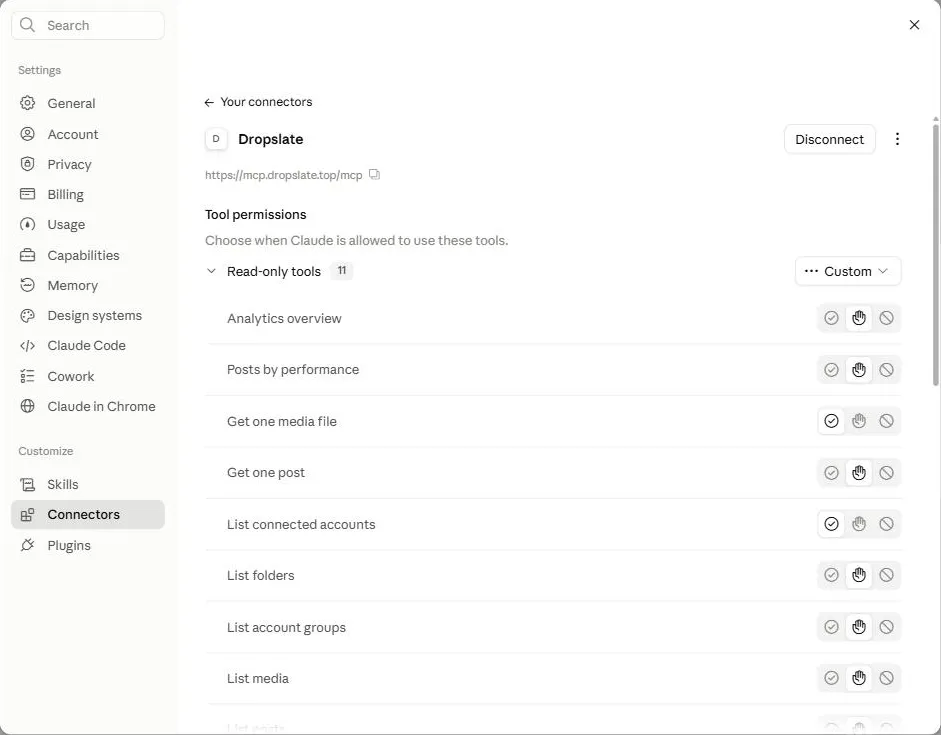
- Settings → Connectors → Add custom connector.
- URL:
https://mcp.dropslate.top/mcp. - Claude opens Dropslate’s sign-in. After signing in, a consent screen shows which workspace and exactly what the connection will be able to do.
- Review it and Allow.
The same steps apply to Claude Desktop.
Option 1: API key (stdio). Scripted and portable.
claude mcp add dropslate --env DROPSLATE_API_KEY=ds_live_xxxxxxxxxxxxxxxxxxxx -- npx -y @dropslate/mcpGet the key from Settings → API keys → New key (grant write to publish, not only read). DROPSLATE_API_URL overrides the API address for stdio if you point at anything other than https://api.dropslate.top.
Option 2: sign-in (remote). No key to manage.
claude mcp add --transport http dropslate https://mcp.dropslate.top/mcpOpens the same browser sign-in and consent screen as Claude.ai.
- Settings → Connectors → Create.
- URL:
https://mcp.dropslate.top/mcp. - Sign in to Dropslate, review the consent screen (workspace and permissions, see below), Allow.
Scopes, the tools ChatGPT can see, and disconnecting are identical to Claude.ai.
Cursor connects with an API key over stdio, in .cursor/mcp.json:
{ "mcpServers": { "dropslate": { "command": "npx", "args": ["-y", "@dropslate/mcp"], "env": { "DROPSLATE_API_KEY": "ds_live_xxxxxxxxxxxxxxxxxxxx" } } }}Get the key from Settings → API keys → New key, with write if Cursor should be able to publish, not only read.
Why not remote sign-in. Cursor’s redirect URI (cursor://anysphere.cursor-retrieval/...) carries an authority component, and Dropslate’s OAuth provider refuses to register a private-use URI with one - RFC 8252 requires native-app redirect URIs without an authority. This is a protocol-level restriction, not a Dropslate policy choice; the API-key path works exactly as well.
What the consent screen shows
Section titled “What the consent screen shows”- Workspace - which one this connection acts in.
- It will be able to: see accounts, groups, media and posts and check a plan before anything is created (
read); upload media, create and queue posts, retry, cancel and delete - after you confirm each one in the chat (write); stay connected without signing in again, for 30 days at a time (offline_access). - It cannot: change members or billing, connect or disconnect accounts, or delete the workspace - there is no tool for any of those, whatever scope is granted.
The key is not for the prompt
Section titled “The key is not for the prompt”An API key lives in the client’s environment (--env, or env in an MCP config file), never in text the agent itself reads - an agent that can read its own instructions can read a key pasted into them just as easily.
Disconnect
Section titled “Disconnect”Settings → MCP lists connected agents; Disconnect on one removes its session and refresh tokens immediately - it stops on its next call, not after an hour. For a stdio client, revoke the key in Settings → API keys.
Common errors
Section titled “Common errors”| Error | Cause | Fix |
|---|---|---|
client_disabled after signing in |
Unrecognized OAuth client, pending approval. | Contact support - see FAQ. |
| Consent screen shows the wrong workspace | Signed in to a different Dropslate account than intended. | Switch workspace before allowing, or sign out and back in as the right user. |
invalid_scope |
The client requested a scope Dropslate does not have. | Only read, write and offline_access exist; this points at a client-side misconfiguration. |
unauthenticated on every call |
Key missing or revoked. | Check Settings → API keys; create a new key if needed. |
insufficient_scope on a write tool |
Key has only the read scope. |
Create a key with write too, or use the existing one only for read tools. |
| Tools list has only 11 entries | Key has only the read scope, or the workspace is on Free. |
Use a write-scoped key on a paid plan to see the write tools. |
Related
Section titled “Related”- Overview - what an agent can do and which plan it needs.
- Tools reference - every tool, input and output.
- API keys - scopes, rotation, revocation.