

Subscription
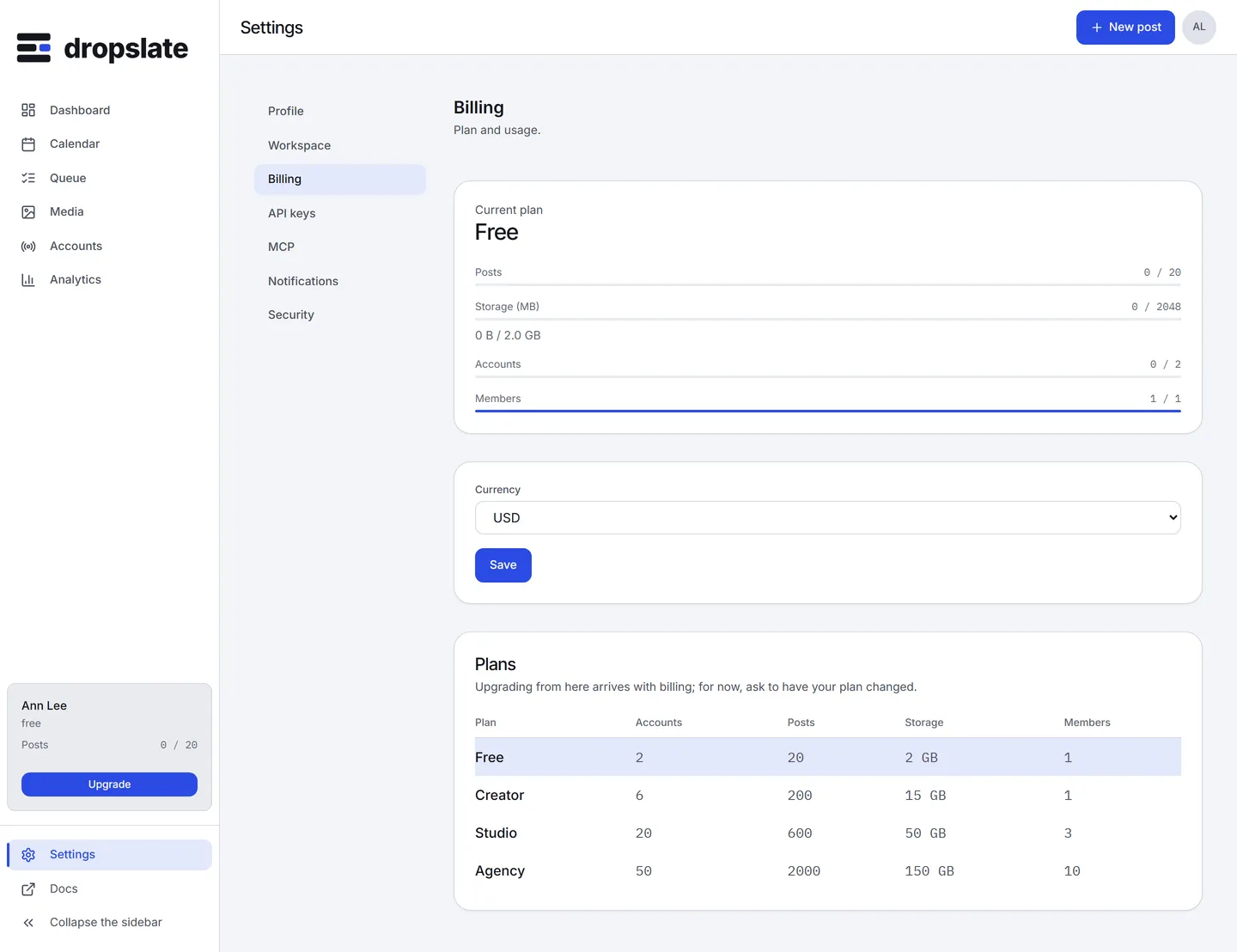
Settings → Billing shows the current plan, this month’s usage and the plan table. Checkout is not wired up yet: today every workspace is on Free (or the internal Owner plan), there is no working Change plan, Manage subscription or Cancel subscription button, and nothing below can be clicked. The policy is decided and applies once checkout ships; this page describes it so there are no surprises then. Plans and limits themselves are on Plans & pricing.
Upgrade
Section titled “Upgrade”Settings → Billing → Change plan, pick the new plan and interval. Checkout runs through the provider for your currency - Paddle (USD) or WayForPay (UAH) - on the provider’s own hosted page; Dropslate never sees the card. An upgrade takes effect immediately, with the price difference pro-rated for the rest of the billing period, and the new limits apply as soon as checkout completes.
Downgrade
Section titled “Downgrade”Takes effect at the end of the current billing period, never mid-cycle, so you keep what you already paid for. If the workspace is over the new plan’s limit for accounts or storage when the change lands, the excess goes read-only rather than being deleted: over-limit accounts stop accepting new posts, and files over the storage cap are not removed for 30 days, giving you time to bring usage under the new limit or upgrade back.
Dropslate shows the paywall at the moment it matters, not before: connecting a 3rd account on Free, scheduling a 21st post, or trying to use MCP write tools on Free (a Free-plan agent can read but not publish).
Invoices and payment method
Section titled “Invoices and payment method”Dropslate never stores full card data: checkout and the customer portal run entirely on the payment provider’s hosted pages (Paddle for USD, WayForPay for UAH), and Dropslate keeps only the customer id, subscription id, plan, status, current period end and the card’s last 4 digits.
Once checkout ships, Settings → Billing → Manage subscription opens the provider’s customer portal, where every past invoice can be viewed or downloaded and the payment method changed; a receipt is emailed automatically at each renewal.
Cancel
Section titled “Cancel”Settings → Billing → Cancel subscription, confirm. Cancelling stops future renewals - no penalty, no retention call. The subscription’s status updates immediately; billing itself stops at the current period’s end, not right away, so nothing is refunded pro-rata for the remainder. The workspace keeps its plan’s access until the paid period ends, then moves to Free automatically, with Free’s limits and the same read-only handling of any overage as a downgrade.
Take your data with you
Section titled “Take your data with you”Everything reachable through the REST API - posts, the accounts list, media metadata - can be exported with a read-scoped key at any time, cancelled or not. There is no separate “export” feature to request; the API is the export.
Common errors
Section titled “Common errors”| Error | Cause | Fix |
|---|---|---|
quota_exceeded right after downgrading |
Usage is above the new plan’s limit; the excess is read-only, not deleted. | Reduce usage under the new limit, or upgrade back. |
| No Change plan, Manage subscription or Cancel subscription button | Checkout is not wired up yet - see the note at the top. | Nothing to do on your end yet. |
Related
Section titled “Related”- Plans & pricing
- Members & roles - who can change billing.
- Data deletion - leaving for good.