

Choose your first network
Every network is connected the same way - Accounts → Networks → Connect, the network’s own sign-in, back to Dropslate - but each one asks for a different kind of account first. If you only want to see a post go live today, start with YouTube or a Facebook Page: both need one account you already have and nothing else.
Before you start
Section titled “Before you start”- A Dropslate workspace - 10-minute quick start, step 1.
- On the Free plan, room for the account: Free includes 2 connected accounts across all networks; a third answers
quota_exceeded.
The networks side by side
Section titled “The networks side by side”| Network | Account type you connect | What you need beforehand | Connecting takes | Caveat |
|---|---|---|---|---|
| YouTube | A YouTube channel on a Google account | The channel must exist on that Google account | 1 minute | Until Google verifies the app, the consent screen says the app is unverified and you confirm you want to continue. A project-wide daily upload quota applies - YouTube. |
| A Facebook Page (not a profile or a group) | A Page you manage | 1 minute | Facebook allows a Page 30 Reels through the API in 24 hours. | |
| A Business or Creator Instagram account | The account converted to Business or Creator and linked to a Facebook Page | 2–3 minutes, more if the account still has to be converted | A personal Instagram account cannot be connected - Meta’s requirement for any scheduling tool. | |
| Threads | A Threads profile | The Threads profile | 1 minute | Separate from Instagram: connecting one does not connect the other. |
| TikTok | A TikTok account | The connector is in progress - Soon on Accounts | — | When it ships, posts publish as private to you only until TikTok audits the app - TikTok. |
TikTok, X, LinkedIn and Pinterest show Soon on Accounts - TikTok, roadmap.
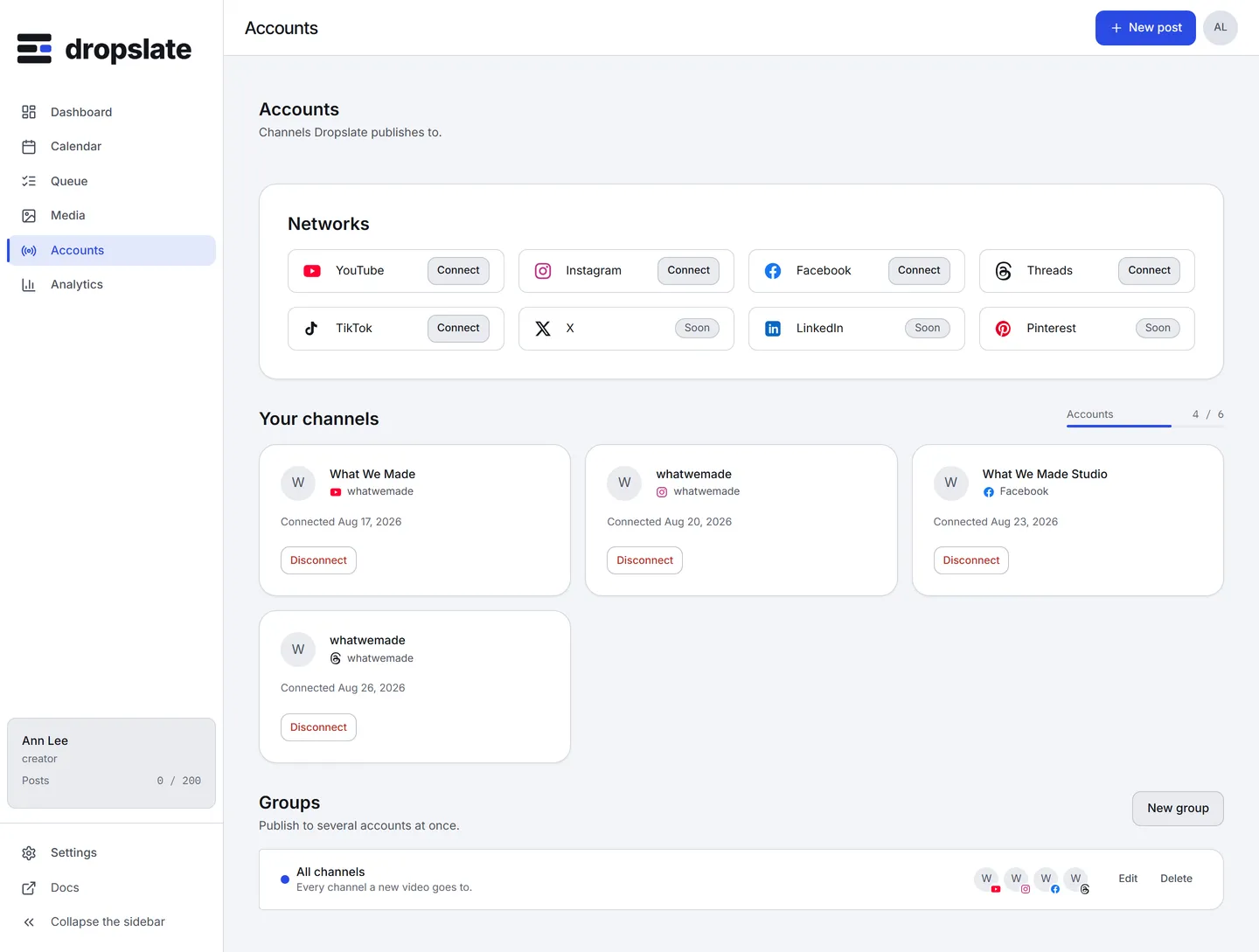
- Open Accounts. The Networks section lists every network; the ones without a connector are marked Soon.
- Click Connect on a network. You are sent to its sign-in and consent screen.
- Approve. For Facebook and Instagram, pick the Page (and the Instagram account linked to it) when Meta asks.
- You are back in Dropslate; the channel appears under Your channels with the status Connected.
What you see next
Section titled “What you see next”The account is a valid target in Compose from this moment. If a token later expires or is revoked on the network’s side, the card shows Expired or Disconnected and a Reconnect button; reconnecting repeats the same sign-in without creating a duplicate or touching the post history - How connecting works.
Common errors
Section titled “Common errors”| Error | Cause | Fix |
|---|---|---|
?connect=refused&reason=... after the network’s screen |
You declined, or the network refused; reason is its word for why. |
Approve the consent screen; for Instagram, convert the account first. |
| No Instagram account listed after connecting Facebook | The Instagram account is personal, or not linked to the Page. | Convert it to Business or Creator, link it to the Page, connect again. |
| No Page listed after connecting Facebook | The Facebook account manages no Page, or the Pages permission was declined. | Create or get added to a Page, connect again and grant the Pages permission. |
| Google says the app is unverified | Expected until Google’s verification completes. | Choose to continue; the permissions asked are the same. |
quota_exceeded |
The plan’s connected-account limit is reached. | Disconnect an unused account, or upgrade - Plans & pricing. |
Related
Section titled “Related”- How connecting works - OAuth in four sentences, token states, what Dropslate asks for and why.
- Connection problems
- Publish your first post