

Dashboard
The Dashboard is the first screen after sign-in and answers the questions you come back for every morning: what goes out today, is everything all right, what failed, how much of the plan is left, how the last posts did. Every number on it comes from the same posts, accounts and usage the rest of the dashboard shows; nothing is computed only here.
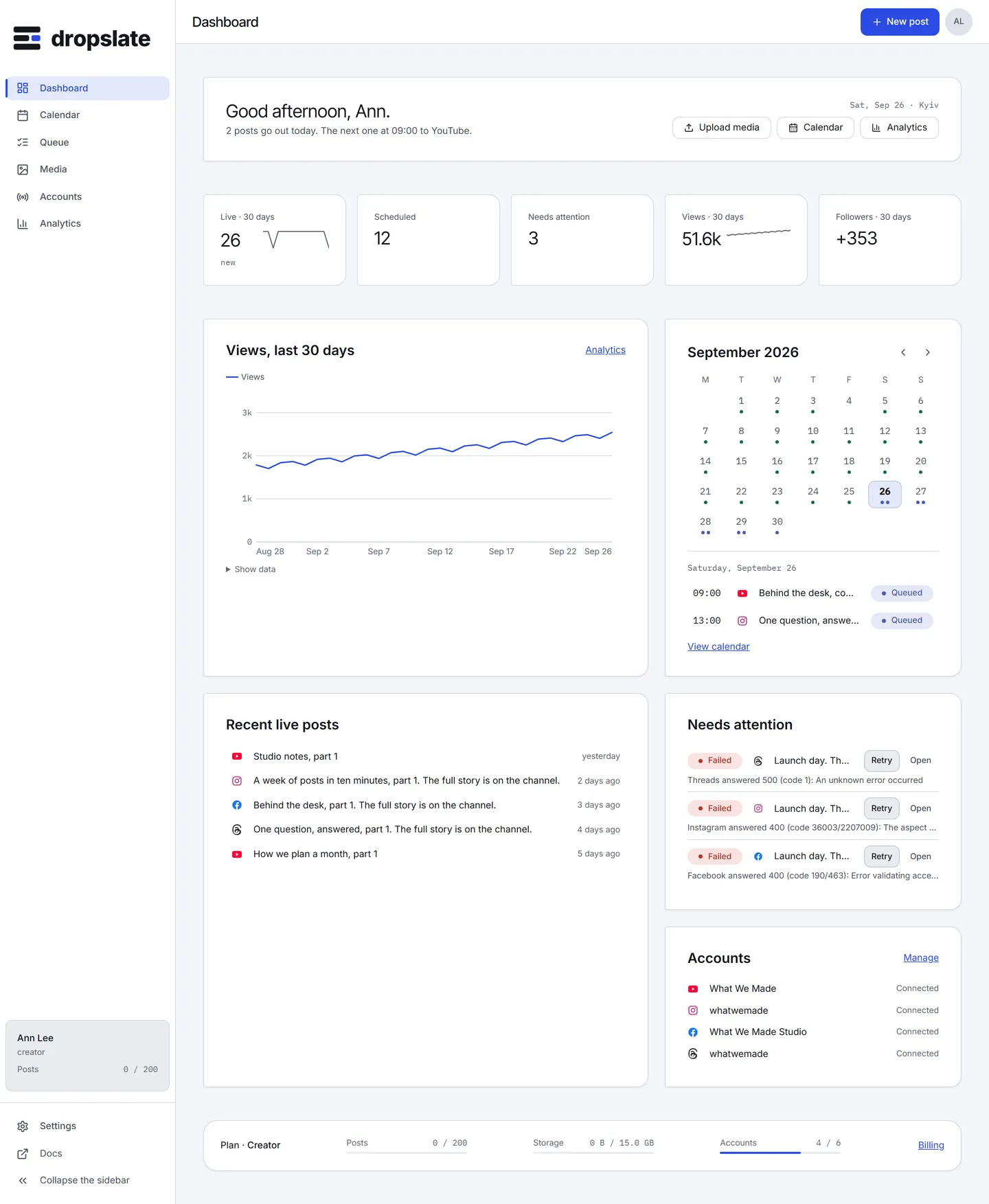
What is on the screen
Section titled “What is on the screen”- Greeting and summary (top left) - “Good morning” with the day and the workspace’s time zone, and one sentence from the data: “3 posts go out today. The next one at 18:00 to YouTube.” New post sits top right, as on every screen.
- KPI tiles (a row under the greeting) - Live · 30 days, Scheduled, Needs attention, Views · 30 days, Followers · 30 days, each with the change against the previous period. The two analytics tiles show Connect insights until an account shares statistics.
- Today and the next 7 days (left column) - the next posts in order, up to 8, with time, network, account, title and status; then View calendar.
- Needs attention (right column) - failed posts with Retry and Open, accounts whose connection expired or was withdrawn with Reconnect, files that failed processing, and the month’s post quota when it runs low. When there is nothing: “Nothing needs you. Enjoy the day.”
- Recent live posts (left, lower) - the last five posts that went live, with their views and likes when the network shares them.
- Accounts (right, lower) - every connected account with its state and follower count, and Manage.
- Plan card (bottom) - the plan, posts used this month, storage used, accounts used, and Billing.
- Get started (top, new workspaces only) - the checklist Connect an account → Upload media → Schedule a post, and Set up MCP for an agent. It stays until the first post goes live; everything below it renders as empty states, so you can see what fills in.
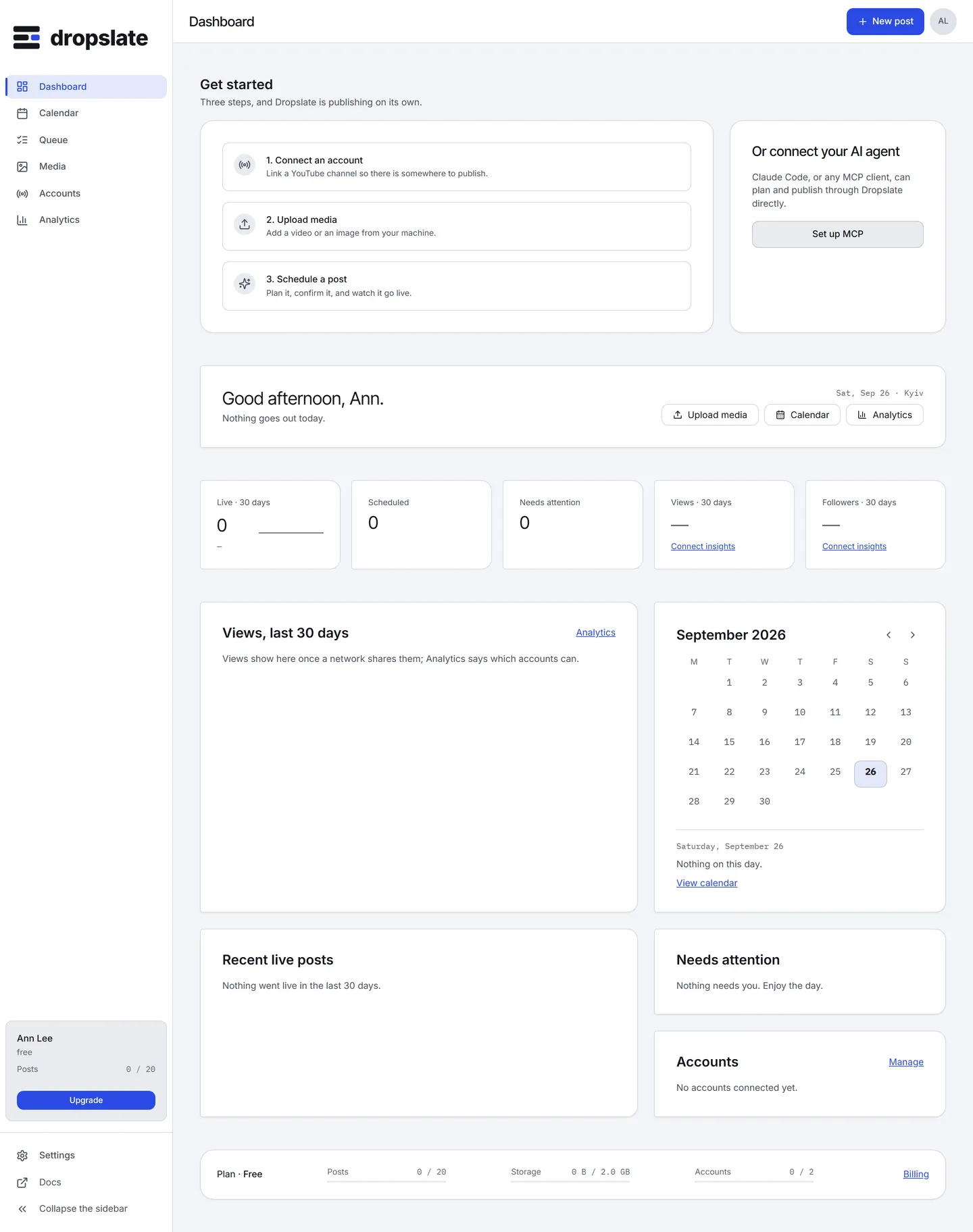
Actions
Section titled “Actions”| Action | Where | What happens |
|---|---|---|
| Open a post | A row in Today or Recent | The post drawer opens with the timeline and the network’s response - the same drawer as in Queue and Calendar. |
| Retry | Needs attention | The failed post goes back to queued and is sent again - the same action as in Queue. |
| Reconnect | Needs attention, Accounts | Repeats the network’s sign-in for that account; no duplicate is created. |
| New post | Top right | Opens Compose. |
| View calendar, Manage, Billing | Section footers | Calendar, Accounts, Settings → Billing. |
- The page updates live: a post that goes live while you watch moves from Today to Recent without a reload.
- KPI deltas compare with the previous period of the same length; a period with no data shows new instead of an arrow.
- On the Free plan the quota row appears in Needs attention at 80 % of the month’s posts.