

Time zones
What this is
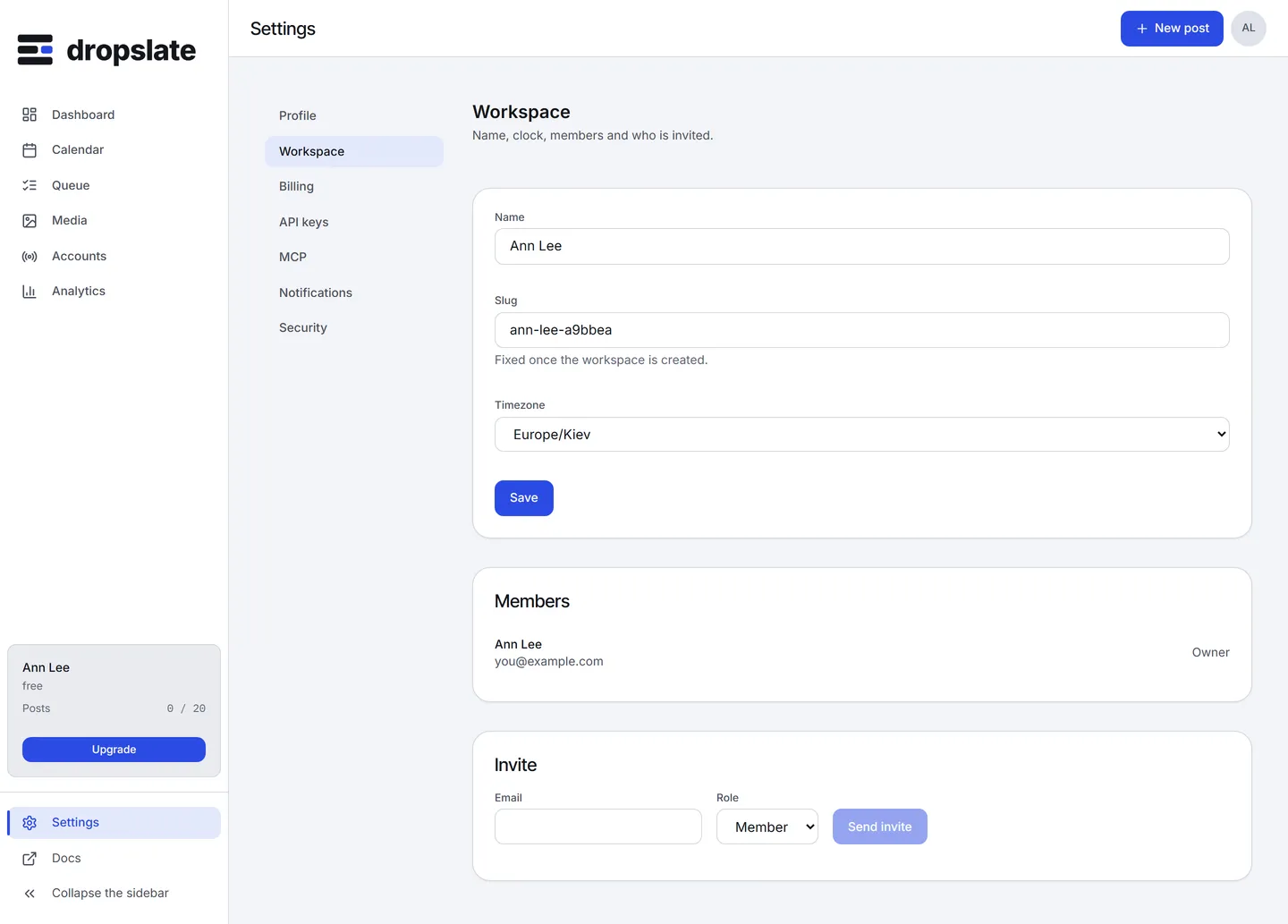
Section titled “What this is”A workspace has one IANA timezone (Settings → Workspace), and every time in the dashboard, the API and MCP is read and displayed in that zone - the Calendar grid, a post’s scheduled time, dropslate_whoami’s answer, all agree. A time sent through the API or MCP carries the zone it is written in, and the post keeps that zone: it publishes at that instant, and shows in the workspace’s zone.
Setting a time
Section titled “Setting a time”- In Compose or Calendar, pick a date and time - it’s interpreted in the workspace’s timezone.
- Through the API or MCP,
whenaccepts the string"now", the string"draft", or{ publishAt, timezone }-publishAtis the wall-clock time intimezone, writtenYYYY-MM-DDTHH:MMwith no offset and noZ, andtimezoneis an IANA zone name. A request from anywhere is unambiguous regardless of the caller’s own clock. A time with an offset is refused; so is one in the hour the clocks skip when daylight saving starts.
Publish lead time
Section titled “Publish lead time”A scheduled time must be at least 2 minutes in the future to be accepted - enough for the plan step and the worker’s own polling interval, not a network requirement.
Common errors
Section titled “Common errors”| Error | Cause | Fix |
|---|---|---|
invalid_timezone |
The workspace or request timezone is not a valid IANA name. | Use a name like Europe/Kyiv, not an abbreviation or offset. |
publish_in_past |
Scheduled less than 2 minutes ahead, or genuinely in the past. | Pick a time at least 2 minutes out, or use "now". |
publish_too_far |
Scheduled more than 366 days ahead. | Pick a time within a year. |
invalid_time |
publishAt is not a wall-clock time (it has an offset or a Z), or names a date that does not exist. |
Send YYYY-MM-DDTHH:MM in the zone named by timezone. |
time_in_dst_gap |
The time falls in the hour the clocks skip when daylight saving starts in that zone. | Pick a time outside the skipped hour. |