

Members & roles
What this is
Section titled “What this is”Three roles, checked in the service layer on every request - never only hidden in the dashboard’s UI, so the same rule holds whether the call comes from a browser, the API or an MCP agent’s underlying session.
| Role | Can |
|---|---|
| Owner | Everything, including transferring ownership and deleting the workspace. Exactly one per workspace. |
| Admin | Invite and remove members, change roles (except the owner’s), manage billing and the plan, connect and disconnect accounts. |
| Member | Use the product day to day - compose, schedule, browse media - without member, billing or account-connection management. |
Members available per plan: 1 (Free, Creator), 3 (Studio), 10 (Agency) - see Plans & limits.
Invite someone
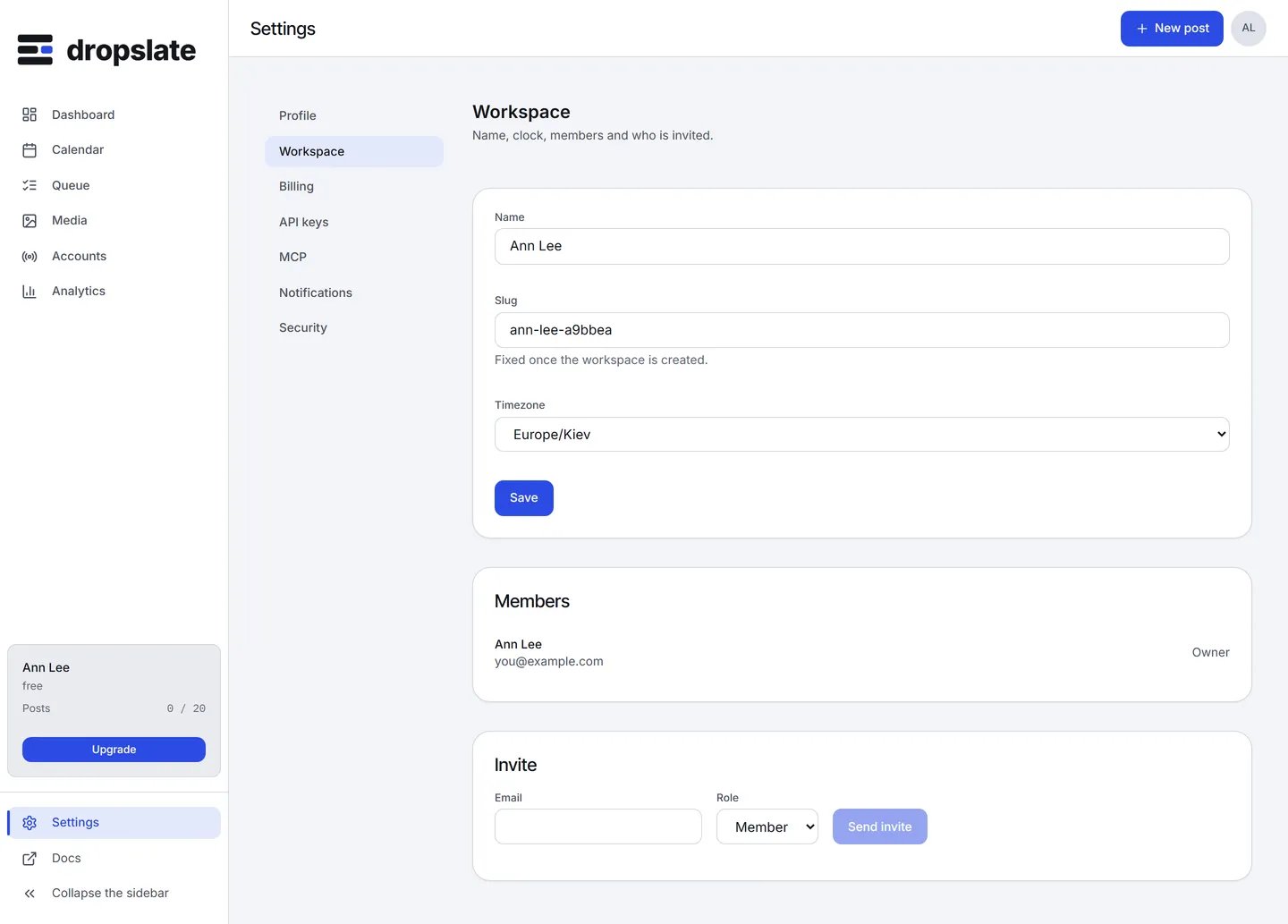
Section titled “Invite someone”Settings → Members → Invite, enter their email and pick a role. They receive an invitation link; accepting it creates their membership. An invitation can be revoked before it’s accepted.
Change a role
Section titled “Change a role”Settings → Members, change the role next to their name. Only an owner or admin can do this, and neither can demote the workspace’s sole owner without transferring ownership first.
What no one can do through MCP
Section titled “What no one can do through MCP”An AI agent connected through MCP cannot invite, remove or change a member’s role, manage billing, or connect/disconnect an account, regardless of whose credential it uses - see MCP → Safety rules. Those actions exist only in the dashboard, behind a signed-in session.
Common errors
Section titled “Common errors”| Error | Cause | Fix |
|---|---|---|
forbidden |
A member-role account tried an owner/admin-gated action. | Ask an owner or admin to do it, or to change your role. |
quota_exceeded (members) |
Plan’s member limit reached. | Remove an inactive member, or upgrade - see Plans & limits. |