

YouTube
Dropslate publishes to YouTube through the YouTube Data API v3 (videos.insert with a resumable upload, plus thumbnails.set and playlistItems.insert). A scheduled video is created on the channel at once with YouTube’s own publishAt, so it goes public by YouTube’s clock, not a Dropslate timer. Connecting takes a Google account with a YouTube channel.
Account requirements
Section titled “Account requirements”- A Google account with a YouTube channel. A Google account without a channel is refused with
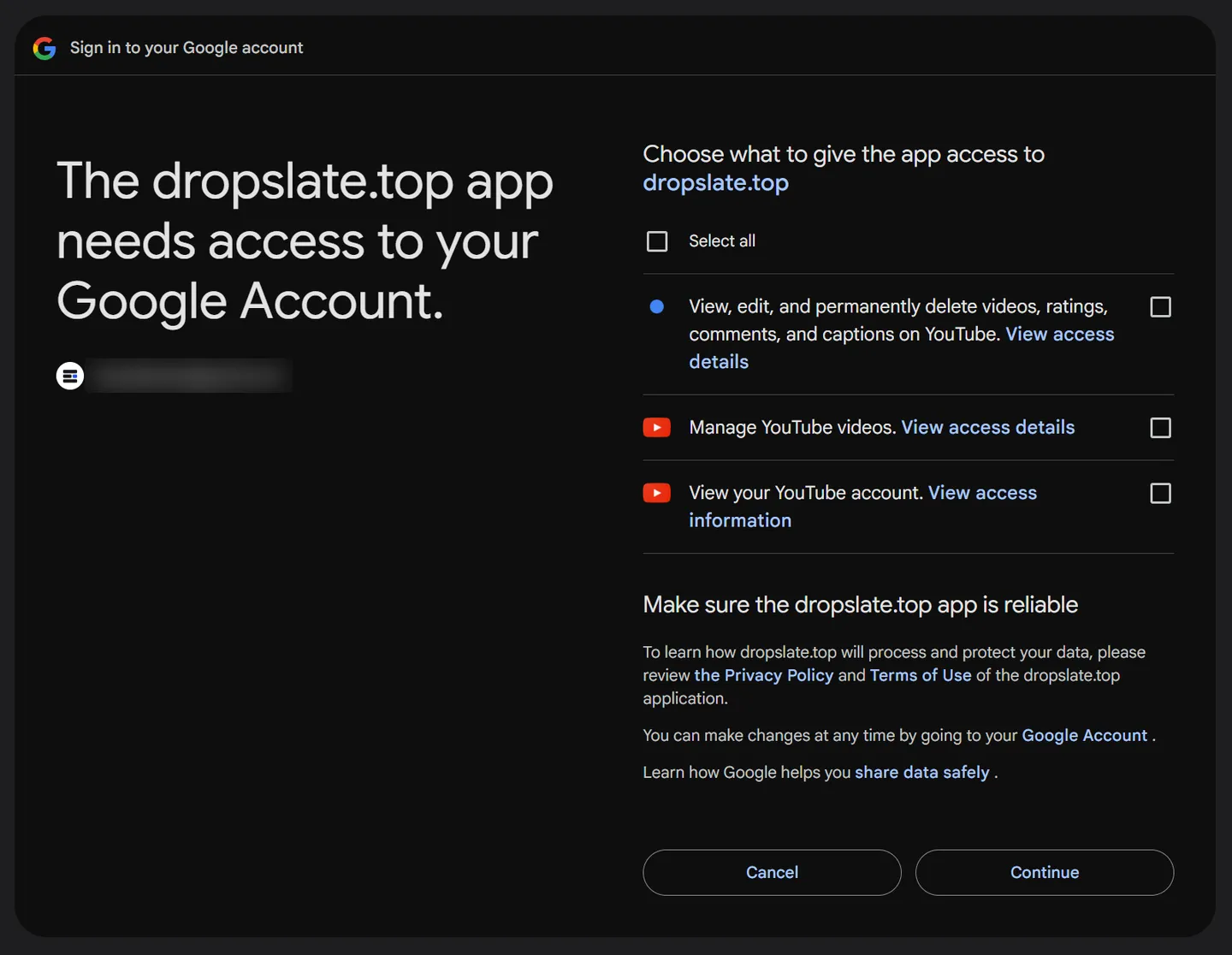
?connect=refused. - Until Google verifies the app, the consent screen says the app is unverified; you confirm you want to continue. The permissions are the same.
- Custom thumbnails need a channel that YouTube has verified by phone; otherwise the thumbnail is skipped and the reason is recorded in the post’s notes.
Connect
Section titled “Connect”- Accounts → Networks → YouTube → Connect.
- Sign in with the Google account that owns the channel; approve Upload videos, View your channel and Manage your channel.
- The channel appears under Your channels. If the Google account has several channels, the one you were signed in to is connected; sign out of Google and connect again for another.
What you can publish
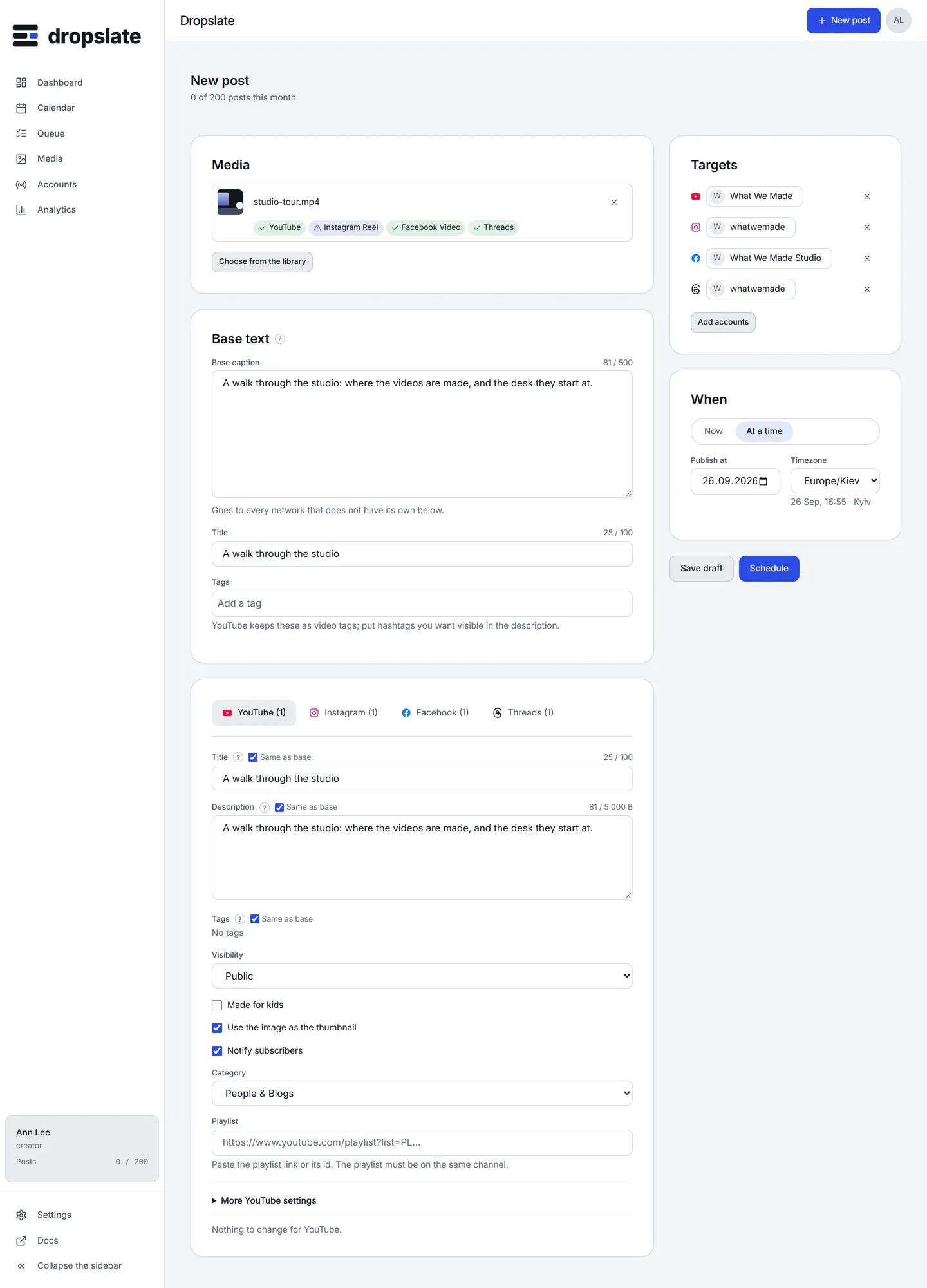
Section titled “What you can publish”- Video - one file per post; title (required), description, tags, category, visibility (Public, Unlisted, Private), Made for kids, a thumbnail (an image next to the video), and under More YouTube settings: language, recording date, licence, embedding, public statistics, synthetic-media disclosure, paid promotion, playlist.
- Short - a vertical video up to 3 minutes is offered to YouTube as a Short automatically; the composer says so under the tab.
From the API and MCP the same fields go in perPlatform.youtube Since 1.2.0; a title, description or tags for YouTube alone go in overrides.youtube Since 1.3.0.
Limits
Section titled “Limits”| Content type | Media | Text | Title | Tags | Other | Notes |
|---|---|---|---|---|---|---|
| Video | 1 file video: mp4, mov, webm, avi, mpeg, up to 256 GB | 5,000 bytes; refused: "<" ">" | 100 characters; refused: "<" ">" | 500 characters total, 30 each | links in the text | Description is counted in bytes: a Cyrillic letter is 2. Links in the description are clickable only on a verified channel. Timestamps like 00:00 become chapters. |
| Short | 1 file video: mp4, mov, webm, avi, mpeg, up to 256 GB, duration up to 3 min, aspect 9:16 | 5,000 bytes; refused: "<" ">" | 100 characters; refused: "<" ">" | 500 characters total, 30 each | links in the text | A vertical video up to 3:00 is published as a Short. |
Source: developers.google.com/youtube/v3/docs/videos · checked 2026-09-15
Network-specific behaviour
Section titled “Network-specific behaviour”- Description is counted in bytes. 5,000 UTF-8 bytes: a Cyrillic letter costs 2. The counter in the tab shows bytes.
<and>are refused in the title and description; the plan marks the rowforbidden_chars.- Timestamps become chapters when the description starts with
0:00. - Links in the description are clickable only on a verified channel.
- Daily quota. The YouTube project Dropslate publishes through has a daily quota shared by every workspace; one upload costs about 1,600 of 10,000 units. When it is spent, the post is retried after the quota resets at midnight Pacific time - the post’s timeline says when.
- Not settable through the API (YouTube offers no field): Test & Compare thumbnails, recording location, end screens, cards, monetisation and comment settings. Set them in YouTube Studio after upload.
- Analytics reads views, likes and comments per video and the channel’s subscriber count; YouTube reports no shares or saves through the API.
Common errors
Section titled “Common errors”| Error | Cause | Fix |
|---|---|---|
?connect=refused |
Consent declined, or the Google account has no channel. | Create a channel on that Google account, connect again. |
youtube_title_required / youtube_video_required in the plan |
A YouTube post needs a title and exactly one video. | Add the title; choose one video file. |
forbidden_chars |
< or > in the title or description. |
Remove them. |
youtube_quota_exceeded |
The project’s daily quota is spent. | Nothing to do: the post retries after the reset; the hint says in how many hours. |
youtube_upload_limit |
The channel hit YouTube’s own upload limit for the day. | Wait for YouTube’s reset, then Retry. |
youtube_token_rejected |
The Google token no longer works. | Reconnect the channel. |
youtube_unverified |
The channel is not phone-verified, so a custom thumbnail or a long upload was refused. | Verify the channel in YouTube, then Retry. |
youtube_kids_private |
YouTube refuses the combination of Made for kids and the chosen setting. | Change the visibility or the kids flag. |
Related
Section titled “Related”- Compose - the YouTube tab field by field.
- dropslate.top/integrations/youtube - the product page.
- Why did my post fail?